Bitcoin is the most widely accepted coin for gift cards — and with the Lightning Network, it's also one of the cheapest. Here's how to pay smart, not twice.

Bitcoin is accepted virtually everywhere gift cards are sold for crypto, which makes it the safe default. The catch is how you send it: an on-chain BTC transfer can cost several dollars when the network is busy, while the same payment over the Lightning Network costs a fraction of a cent. For small cards, always reach for Lightning; for large cards, on-chain is fine.
If a platform sells gift cards for crypto, it almost certainly takes Bitcoin. That universality is BTC's superpower — you'll never be stuck unable to pay. But Bitcoin has two payment rails with wildly different economics, and knowing which to use is the difference between paying cents and paying several dollars in fees.
The first rail is the main Bitcoin blockchain ("on-chain"). It's rock-solid and accepted everywhere, but transaction fees rise with network demand — during congestion, sending a small payment can cost $1–5 or more, which is painful on a $10 or $20 card. The second rail is the Lightning Network, a layer built on top of Bitcoin for fast, tiny payments. Lightning settles almost instantly for a fraction of a cent, transforming the maths on small purchases. Platforms like Bitrefill have leaned hard into Lightning precisely because it makes everyday crypto spending viable.
So the strategy is simple. Buying a small gift card? Pay over Lightning if the platform supports it. Buying a large one (a $200 prepaid card, say)? On-chain Bitcoin is perfectly reasonable, because a few dollars of fee is trivial relative to the value. Get this one choice right and Bitcoin goes from "sometimes expensive" to "consistently cheap."
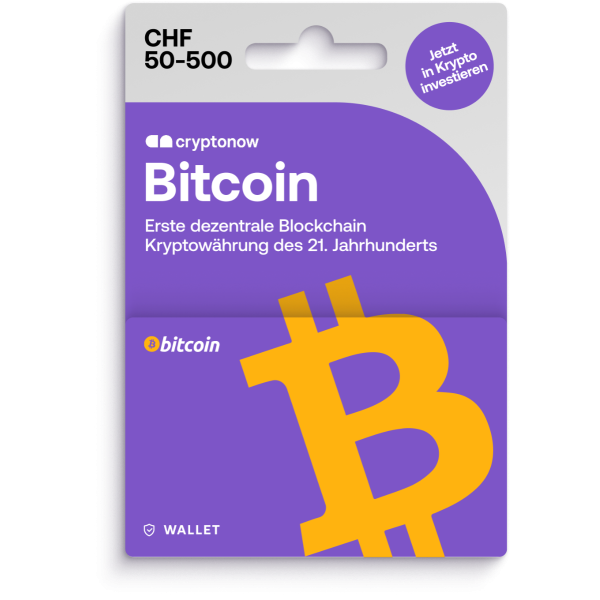
Bitcoin's service fee on a card is typically a small percentage; the variable that dominates is the network rail. Here's how the options compare.
| Pay with | Typical cost | Notes |
|---|---|---|
| Bitcoin (Lightning) | Sub-cent network | Near-instant; ideal for small & mid cards |
| Bitcoin (on-chain) | $1–5+ network | Fine for large cards; wasteful for small ones |
| Service fee on card | ~0–2% | Some platforms sell popular brands at face value |
| Exchange-rate spread | 0–8% (watch!) | Compare the quote to live BTC market price |
Every major gift-card platform takes Bitcoin. Bitrefill is our top pick because of its first-class Lightning support; Coinsbee adds the widest brand catalogue. Buy your BTC on a licensed exchange first so your funds are clean.
Holding BTC for later spending? Remember its price is volatile, so the value of your stash — and how much gift card it buys — will move over time. If you want certainty, convert a portion to a stablecoin like USDT ahead of a planned purchase. And whatever you do, never store large amounts on a hot wallet long-term; a hardware wallet keeps savings safe between shopping trips. For the mechanics of any purchase, our fees guide shows exactly where each cost hides.
My rule with Bitcoin is one word: Lightning. I keep a small Lightning balance specifically for gift cards, and a $15 Steam top-up costs me effectively nothing to send. The only time I touch on-chain BTC is for big prepaid cards, where the fee disappears into the total. People who pay on-chain for tiny cards are quietly donating dollars to miners.
Buy BTC on a FinCEN-registered, Gibraltar-licensed exchange, then spend it on gift cards via Lightning for tiny fees. New users can claim the current CEX.IO welcome bonus.
On the Lightning Network, Bitcoin is among the cheapest options. On-chain Bitcoin, however, can be pricey during congestion — then USDT, Litecoin or XRP may be cheaper. Use Lightning where supported.
A payment layer built on top of Bitcoin for fast, tiny-fee transactions. It settles almost instantly for a fraction of a cent, which makes small gift-card purchases very cheap compared to on-chain BTC.
Bitrefill has excellent Lightning support; other platforms vary. If you buy small cards often, choose a platform that supports Lightning to minimise network fees.
Lightning payments confirm in seconds; on-chain Bitcoin can take from minutes to longer depending on fees and congestion. Codes are emailed once payment confirms.